 Conchshell
Free · no account, no subscription
SSH, SFTP, FTPS and RDP on your Mac. One window.
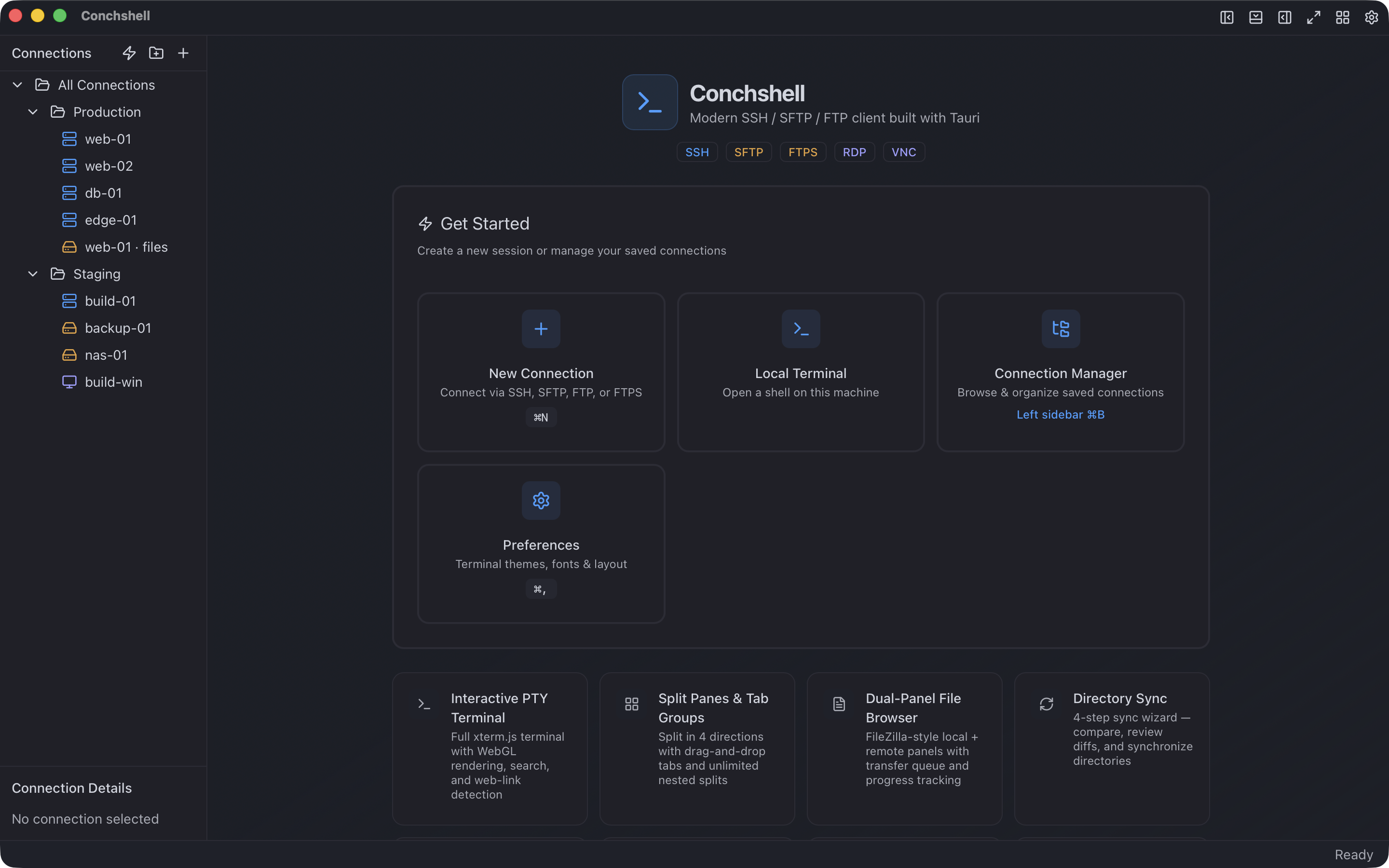
A terminal, a dual-panel file manager and a remote desktop in the same application — with your credentials in an encrypted vault instead of a text file, once you set the vault up. Every desktop, about 10 MB to download, nothing to sign up for.
01 — WHAT IT REPLACES
One window instead of three apps and a text file of passwords
Most people arrive here from one of two setups. Both work. Both cost something.
Termius as described on its own pricing page and documentation on 20 August 2026; the details are on the Termius comparison. Size on disk is the installed macOS application, measured as shown below.
Eighteen megabytes, not five hundred
Installed size on macOS. One application that does the work of three, and still the smaller install.
Measured on 3 August 2026, macOS 26.5.2, with `du -sm` on the installed application bundle.
Memory: 286 MB against 1.4 GB
Four SSH sessions to the same host in each client, measured ten minutes after connecting. Counted across the whole process tree, helper processes included — the main process alone is 35 MB, and reporting that number would flatter us by a factor of eight.
Measured 3 August 2026 on macOS 26.5.2, Apple silicon. phys_footprint of the main process plus every process it is responsible for, median of three samples thirty seconds apart. The comparison is with a browser-engine client; natively written clients are lighter than both and are not in scope here.
02 — THE WINDOW
Four surfaces, one window
Everything below is in the free build. There is no other build.
Terminal
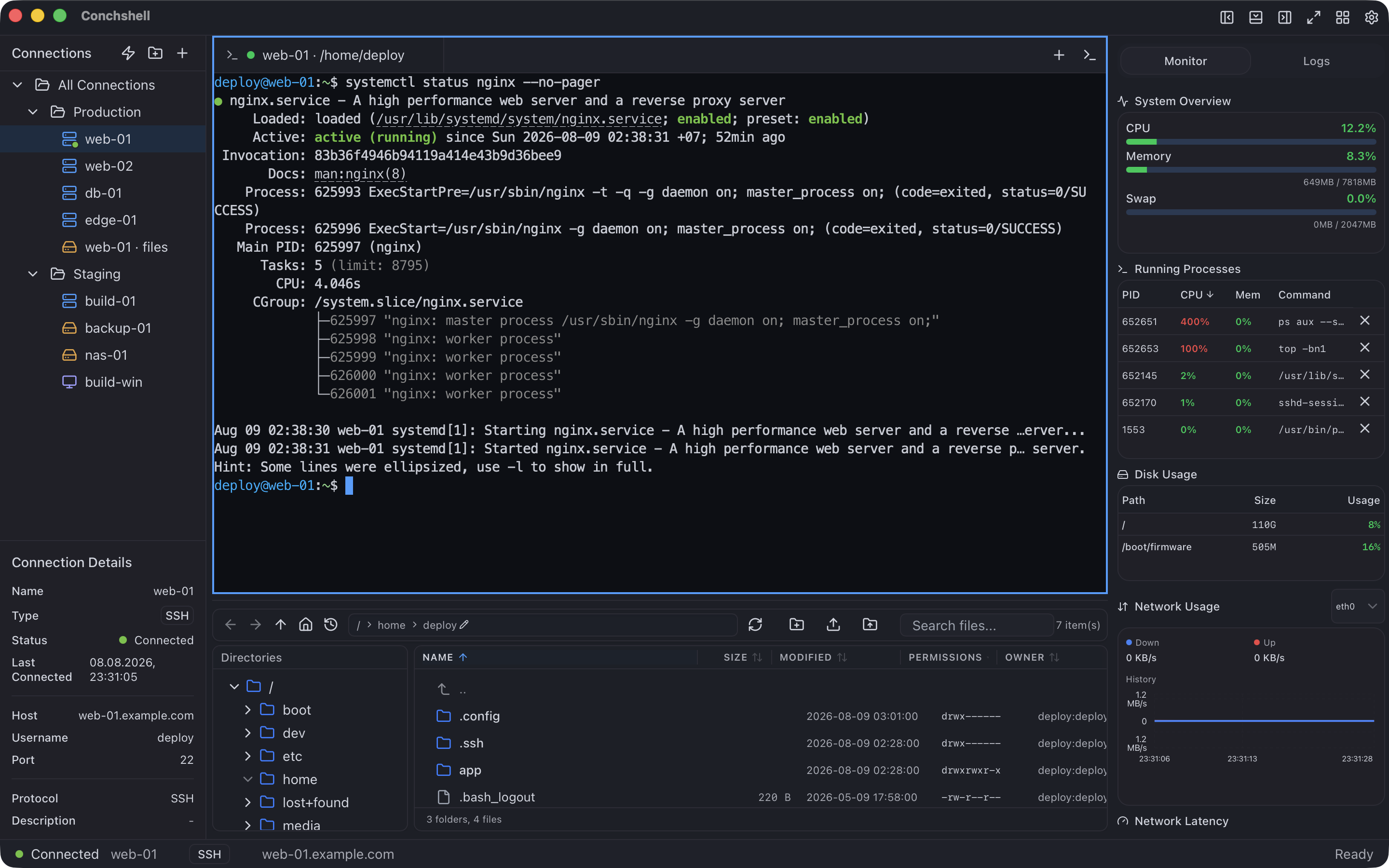
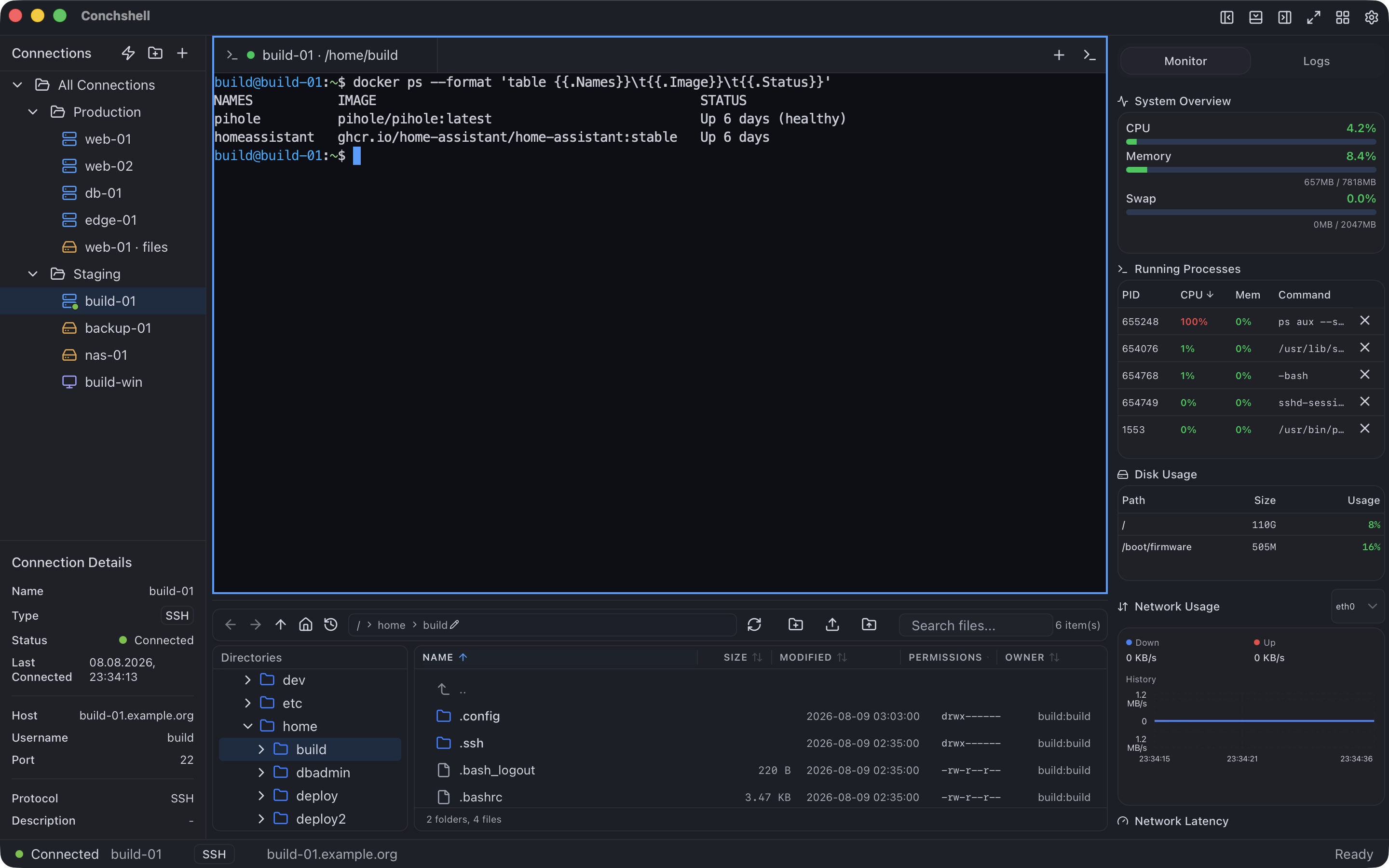
Service status over SSH
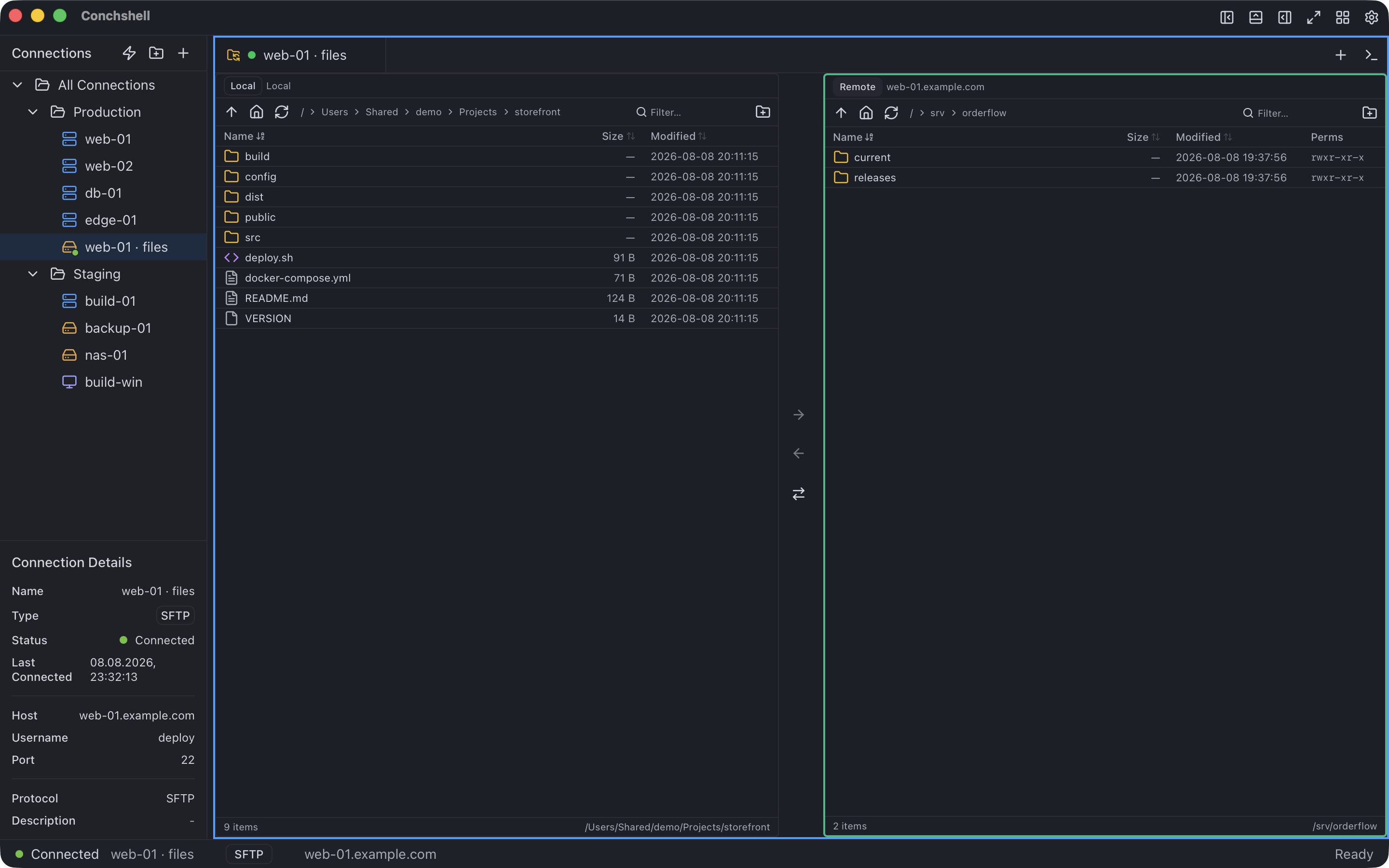
Local and remote, side by side
Files
Seeing the machine
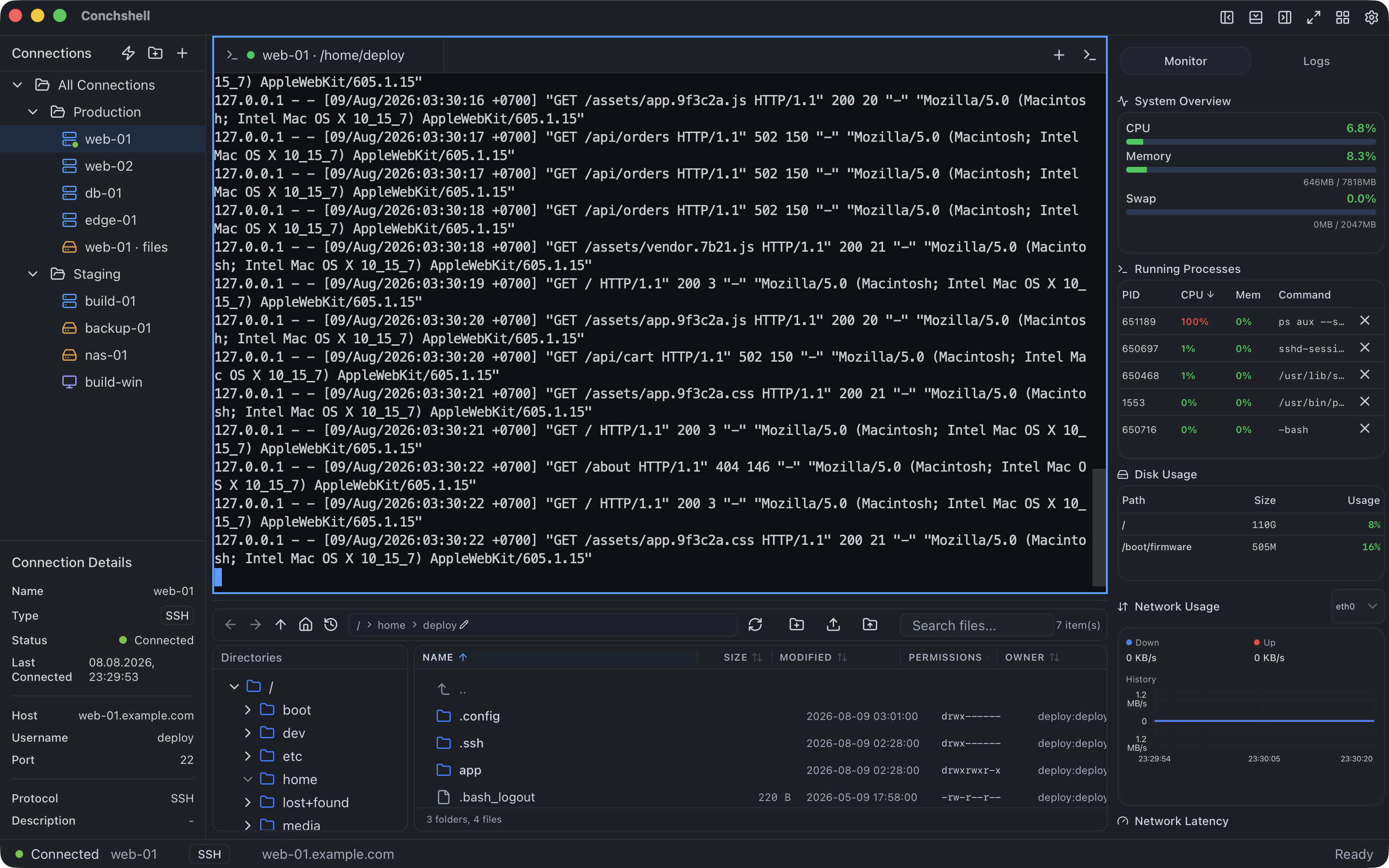
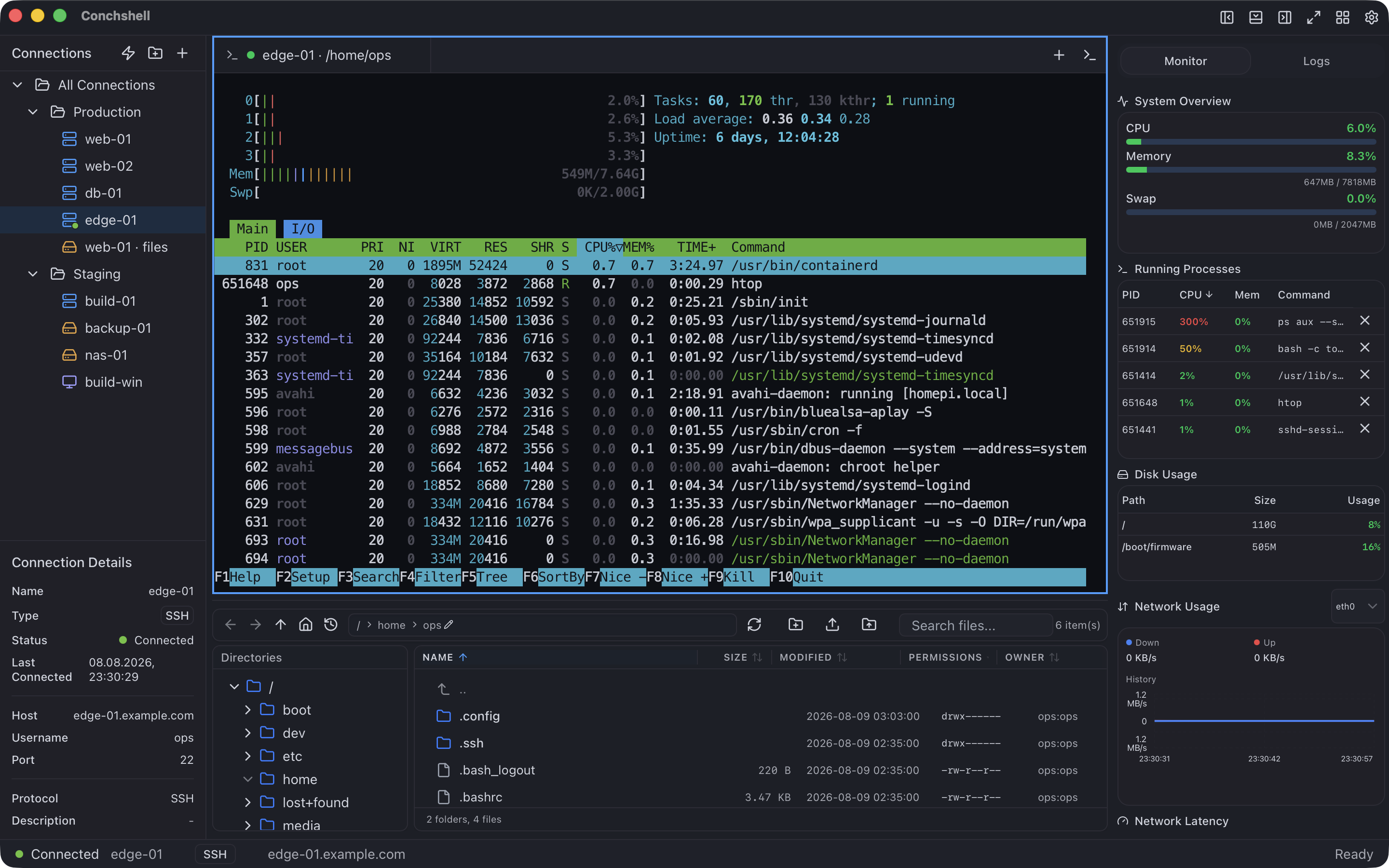
An access log tailed over SSH
Getting there, and staying there
03 — CREDENTIALS
The part that took the longest to build
XCHACHA20-POLY1305 · ARGON2ID
Passwords in a vault, not a text file
Credentials live in an encrypted vault with independent key slots over one data key. The interface can store a credential and delete it. It cannot read one back, because no command exists that would answer. The app offers to create the vault the next time it starts after you save a password; until you do, and if you decline, saved passwords stay unencrypted in the application's local data.
HOST · PORT · USER · PROXY · JUMP
A saved password only goes where it was saved for
Each stored credential is bound to its whole route. Point the connection somewhere else and it is refused — even when the request comes from inside the application.
OS-DRAWN CONFIRMATION
Your system approves host keys, not the app
When a server's key changes, the confirmation is drawn by the operating system. A compromised window cannot repaint it, cannot click it, and cannot make a key replacement look like a first connection. In version 2.16.0 on Windows and Linux, closing that window without pressing a button counts as trusting the key, so answer it with a button.
04 — MOVING IN
Your connections do not have to be retyped
Switching clients usually means an evening of copying hostnames. It does not here.
Free, and it stays free.
No accounts, no subscription, no hidden telemetry — usage statistics are on by default, and one switch turns them off. Everything on this page is free; syncing your connections between machines is a one-time $19.